87 Gibson Ave, Padstow NSW 2211 (02) 8739 2050
Mon - Fri: 9am - 5pm | Sat: 10am - 2pm | Sun & Public Holidays: ClosedMon - Fri: 9am - 5pm · Sat: 10am - 2pmSun & Public Holidays: Closed
87 Gibson Ave, Padstow NSW 2211(02) 8739 2050
Mon to Fri 9am to 5pm, Sat 10am to 2pm

Blog

5 Thoughts On “Buying A New Phone Vs. Repairing Your Old One”.

Everyone has a smartphone or even a simple mobile phone these days. It has become such an essential item that living without it is like living in a Stone Age era. But over the years or months of use, your smartphone becomes outdated, you must have also dropped it a couple of times and also faced some sort of malfunctioning. A broken phone can definitely be a hassle and a headache that no one wishes to face.

However, when you have a broken phone in your hands, you reach a road that gets divided into two parts. You can either go ahead, replace it with a new smartphone or you can get it repaired. Deciding between the two can be a dilemma as you are not sure which one is a better option. Let’s explore some thoughts that usually come to people’s mind in such scenario and get answers for it.

  1. I Can Save Money By Getting My Phone Repaired

One of the most crucial factors in making a decision is definitely money. It is common sense that buying a new phone will definitely cost you quite a significant amount of money. It can burn a hole in your savings and leaving you unprepared for some uncertain and unexpected situations. However, when you decide on getting your phone repaired, you can get it done in a small amount of money, which definitely wouldn’t come as a blow. You will get your phone in almost a new condition and working just like before.

  1. Replacing Looks Like A Better Option

Buying anything new, especially in terms of technology is always an exciting thing. You get to do some solid research and buy the best phone in a particular budget. A new phone will come with a higher technology, more refined system and more memory for all your photos, apps and contacts. On the other hand, getting the phone repaired will take much lesser time and you will get back your phone before you even realize it’s gone. You will be able to enjoy the existing technology for a bit longer before jumping to the next one.

  1. Screen Repair Is Really A Good Choice?

Yes, it is! A shattered screen can be painful as the touch won’t work properly, causing discomfort. But when you will get the careen repaired, the repairing professionals will use high quality product so that you can enjoy the same touch and feel like before. It won’t stuck and give you a truly flawless experience at a much lesser price.

  1. My Phone Is Still Under Warranty

Smartphones these days come with a warranty period. So, if your phone breaks or doesn’t work within this period, you can always make most of the warranty period. If your phone doesn’t have warranty, getting it repaired would be better as you are already comfortable with device and parting with it can be tough.

  1. Repairing Will Save Time

As mentioned earlier, before buying a new phone, you will need to do some research so you can buy the best technology and that will obviously take time. With phone repair, you can get a phone in working condition sooner than later. You can give it a professional and within a short amount of time, your phone will be in your hands and just the way it used to be when new.

Need a repair? Visit Mobile Repair Factory in Padstow, or go straight to our iPhone repairs Sydney and Samsung screen repair Sydney pages.

Most Common Causes Why You Are Struggling With A Broken Phone

Today, it is all about using mobile devices to make life much easier and convenient. Almost everyone is hooked to one screen or another and there would be least number of people who can imagine their life without using a smartphone. For millennials, it is their first source of communication, entertainment, and various other things. If their phone stops working or gets damaged, they feel lost and desperate to make their smartphones work again. As smartphones are made from small and vulnerable parts, it is common for them to break or malfunction at some point. However, if you are concerned about what can possibly go wrong with your smartphone, then take a look at the most common ways smartphone breaks.

Cracked Screen

Cracked screen

A cracked screen is every smartphone owner’s nightmare. A single fall or a dump with a hard surface can severely damage the screen. However, many phone companies have worked on it to make the smartphone screen more durable so that they can survive many falls and bumps. Still, a hard fall can damage the screen, making it difficult to use the phone or to even see anything on it properly. To avoid this issue, a lot of smartphone users opt for external phone cases that can provide some protection, although none are able to fully prevent cracks. So, you must follow some good habits to prevent such an issue. If the phone screen cracks, even a slight bit, don’t wait and take it to a repair center at the earliest. Using a cracked screen can further damage the phone, so it is vital to get it replaced by professionals. Once done, you will be able to enjoy the same smartphone using experience as before.

Water Damage

Phone damaged by water

Nowadays, many smartphones manufacturers are offering phones that are designed to withstand water damage. The use of the latest technology is making this happen and if the phone is submerged in water for extended periods of time, it can still turn out to be fine. What’s more surprising is that the phone listed as water-resistant can often survive submersion if they’re dried off in a timely manner. However, prolonged submersion can cause severe damage to most smartphones even if they are water-resistant. So, the best way to keep your phone safe from water damage is to be alert and avoid any water coming in contact with your phone. In case, your phone gets water in it and it stops working, take it to a professional repair center to save the phone and also its intricate internal parts and components.

Damaged Charging Port

Damaged Charging Port

One can use a smartphone only when it has power, otherwise, it is of no use. People connect their phones to charging cable on a daily basis and some even more frequently to give power to their phones. This constant connecting and disconnecting can cause mechanical damage. Furthermore, people don’t realize that the electricity is quite significant when traveling through charging ports and a short circuit can lead to permanent damage or a more severe problem. This is why; one must be careful when connecting and disconnecting the charging cable and also try to avoid hitting cables when moving. If you are facing charging problems, try changing the cable or take it to a professional for a thorough examination to understand the main problem.

If your phone needs fixing, see our iPhone repair, Samsung screen repair and OPPO screen repair services, or walk in to our Padstow store.

Ways to Fix Your Apple’s iPhone 7 Plus Microphone

When it comes to buying a smartphone, a large number of buyers’ first preference is Apple. The phonemaker has given world some awe-inspiring technological advancements and convenient usage. However, there have been many complaints regarding the Apple iPhone 7 Plus microphone. Users have reported that it doesn’t work properly and many said that the issue came after installing an iOS update. Users witness static sound, audio cut offs during phone calls, sound not being audible and sometimes no sound or audio is produced at all. Undoubtedly, problems are there but how it can be fixed is what we aim to focus on. Let’s take a look at some of the potential solutions and recommended workarounds to deal with this microphone/audio issue.

Perform A Series Of Test On The Iphone’s Microphone

There are strong chances that the problem can be isolated to the audio file or an app that you are trying to use rather than issue in the microphone itself. If you are witnessing audio cut off or static sound, try calling at another time as these symptoms are easily triggered by network issues and not because of the microphone itself. To be certain, you can perform a series of test on your iPhone’s microphone and see if they’re all working just fine:

  • Start by opening Voice Memos app and then tap on Record icon.
  • Now, speak into the microphone to record your voice.
  • After recording, play back the recording by tapping the Play icon.

If you hear your voice clearly, this means that the microphone is working fine. If not, there’s something wrong with it and needs to be checked on the microphone or audio system.

While on phone, make sure that there is nothing that is blocking the iPhone receiver, especially when using speakerphone during the call. If it is blocked in any way, your voice will sound faint on the other end.

Remove Any Third-Party Casing Or Accessories.

Another thing that can be causing problems with your iPhone microphone is third party casing and accessories. Try removing them and check the microphone to see the difference on the sound quality with and without them. The accessories include screen protectors, films, or cases that can possibly cover the microphone, iSight mic or iPhone receiver and thereby resulted to poor quality audio or no sound at all.

Perform A Soft Reset Or Reboot Your Iphone 7 Plus

You might have tried this once but give it another try. Sometimes there are minor software glitches that can cause inflict pertinent audio symptoms when using the iPhone’s microphone system. However, they can be easily rectified by performing a reboot or soft reset on the device. If you still face the issue, try rebooting the device again. Give it three tries and see whether or not the problem persists.

Update iOS To The Latest Version Available

If a problem is triggered by a software bug, an iOS update can potentially fix the problem. So, if you haven’t updated your iPhone iOS to the latest version, then it is time to do so and say goodbye to any persisting issues. You can check for available software updates on your iPhone 7 Plus, go to Settings-> General-> Software Update.

If an update is available, proceed by taping on the download and install and then follow the onscreen instructions to complete the update installation process.

If your iPhone needs a repair, our iPhone repairs in Sydney page covers screens, batteries, charging ports and back glass.

Confused About Buying A New Phone or Used Phone? Read This

In general buying a used Smartphone can save you a lot of money over purchasing a new one- or can’t it? We have to do lots of maths to see what is among buying a new phone or used one—a decent argument held in your brain when you make up your mind for purchasing a new phone. Since you are spending a lot of money on a product, then you will be likely to keep it forever, or until the dust of time covers it. Because of that, you spend on a device more than your budget. It is not among your wisest decisions as indirectly you have put yourself in risk, just for the sake of your satisfaction.

Contrary, if you purchase used phones, then you might have a chance of saving a good amount by the end of the year.

Though it is something that I can’t justify financially, saving up a lot of money in a new purchase is something that can’t be ignored. Buying a used phone cut your expensed into half and appeal of having a pre-owned phone goes beyond the price.

New Mobile Phone

Here I am enlisting four benefits of buying a used phone

  1. Saving is huge: –

    The price of a refurbished iPhone 6 GB Space Grey is $250, only which is quite little in front of its mark price. Though the used phone might come with a few scratches and dings certainly your saving will easily cover this imperfection, if it has any.

  2. You will get more storage in less:-

    New iPhone or Samsung mobile offer 32 GB of storage, and to bump up to 128 GB, you have to shell out an extra $100. This is not a case with pre-owned mobile phones. There are several online stores that offer used smartphones in certain states at a reasonable price. If you are confused about where to hunt for this store, then you can visit the Mobile Repair Factory for the same.

  3. Help your environment:-.

    Every year tons of electronic waste, large chunks of old cell phones pile up in the landfills in Australia and overseas where they seep harmful chemicals in the soil, air, and water. Purchasing a second-hand Smartphone is a small step to reduce this electronic waste flow.Once someone said, “buying an old device is like giving it a second life.” Further it is a great chance for someone who wants to earn some money from his/her previous investment.

  4. Free from the fear of the repair

    : – Kids are nowadays gain early access to the Smartphone. However, the odd are fifth-grade students dropping that new Smartphone is high. You can potentially decrease this loss by providing your child with a gently used phone.

Buying a used phone is always an economical option, but there are a few reasons you can consider to buy a new device.

Used Smart Phone

  1. The longer lifecycle of the phone: –

    a cell phone is just like another electronic device that has a limited lifespan. When you buy a new phone, then you get it at the starting of its life cycle.

  2. When your promotion is too good to ignore: –

    major carrier provides appealing offers to their customer that is hard to surpass. Deals like in cost of a new phone you will get two mobile phones, which is equal to one used model.

Our Padstow technicians repair iPhone, Samsung, OPPO and iPad devices. See our iPhone repairs Sydney, Samsung screen repair Sydney and iPad screen repair Sydney pages.

Know Why Used iPhone Sale Is Increasing in The Market

A steep fall has been observed in the global market of iPhones in the last quarter, according to the primary research companies. The refurbished and used market is gaining popularity at a surprising rate. Apple closely holds 75 percent of the second-hand market, leading by a significant margin.

Used iPhone

With time mobile phones have become so ubiquitous that everyone has one. Therefore there are different levels of mobile phones in the market- From the latest apple devices over $1000 to the local and refurbished prepaid phone under the cost of $100—year by year the explosive growth of new mobile devices of all prices enhanced-until recently. According to the emerging trend, as mobile technology matures, sales of new unit decline. This, however, increases the growth of the second-hand market. This is the time of the year when the entire market is full of different types of used iPhones that are technically viable and with minor edit is ready for the resale. However, during this process, the diagnostic issues and previous owner data is addressed.

What is the possible reason behind the growth of the second-hand iPhone?

A Marketing Research forecast that in the coming time, the second-hand market is going to reach 39 billion dollars in the global revenue. This recent report estimates that the global used iPhone market and refurbished market will expand by 9 percent from the year 2017 to 2025. Even apple also said that the sale of used and refurbished mobile in the consumer-owned and company-owned market would collectively account for the million units by the end of the year 2025. This is the number that worth paying attention to.

Price driven behaviour

The affordability of the refurbished and used devices, especially in the context of the cost of the new device, supports the growth of the used iPhone market. This somehow has created a gap in the mid that second-hand devices barring issues with repair and erasure can help in filling.

Longer lifecycles of iPhones

Gone are the days where buyers feel the need to purchase a new phone every one or two years. Though the most common reason behind changing the phone is it stops working. These days’ consumers are too slow in upgrading their devices and leading to the longer lifecycles but also translate the lower cost of ownership over the cost of the life of the phone when purchasing the used one. On average, the upgrade cycle of smart phones in Australia is one year.  Even 10% percent of iPhone used in the year 2016 is still in use in 2020 either by second or third owner.

The online store is a great solution

Mobile Online Store

A user moved on to the new device that costs more than his/her budget because the repair is not an easy option for him/her. But if someone is selling used iPhone device that to be within the budget of the buyer, then what is the issue in not accepting it. Mobile Repair Factory is one of the reliable stores that can deliver you the product that you want that to be within your pocket size.  So what do you think?

Just visit Mobile Repair Factory and get a chance to view the reasonable used iPhone option.

Ready to get it sorted? Book in with our iPhone repair service in Sydney or walk in to our Padstow store.

Smart Ways to Preserve Your Phone Battery While Travelling

Our phones have become a vital part of our lives. We need it to stay connected with friends, get desired information, to capture things (especially when traveling). However, one would never appreciate low battery while traveling as there is so much to do. Just follow these ways to preserve your phone’s battery and enjoy your trip more than ever.

Switch To Airplane Mode

Airplane mode

Whether you are traveling via a car, bus, train or plane, if you wish to save your phone’s battery, then switch it to airplane mode. It is especially important when you are traveling to a rural area as that is the time when your phone will be working hard to keep you connected even if you don’t want to be. It will keep on trying to search for a signal, thus draining the battery faster than before. Even if it finds a signal, the process will keep on going until it finds a better one. So turn on the airplane mode to make it stop searching for a signal.

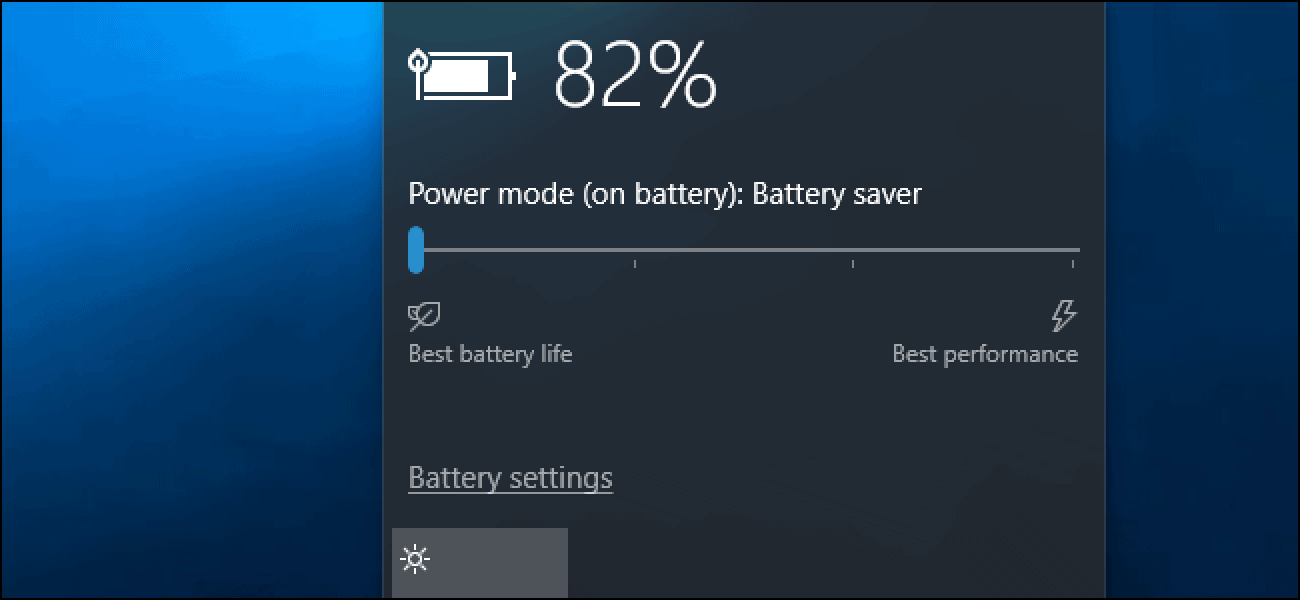
Enable Battery-Saver Mode

Battery saver mode

Most of the phones these days let you know to enable the battery saver mode when the battery level reaches 20 percent or 10 percent. By enabling this, all the non-essential features will be turned off such as it dims the display brightness, reduces some visual effects, stops automatic email fetching, and completely disables other features that consumes a significant part of your phone’s battery. If you wish to save more of your phone’s battery and not wait until its low to 10 or 20 percent, then go to phone’s settings to turn on the battery saver mode.

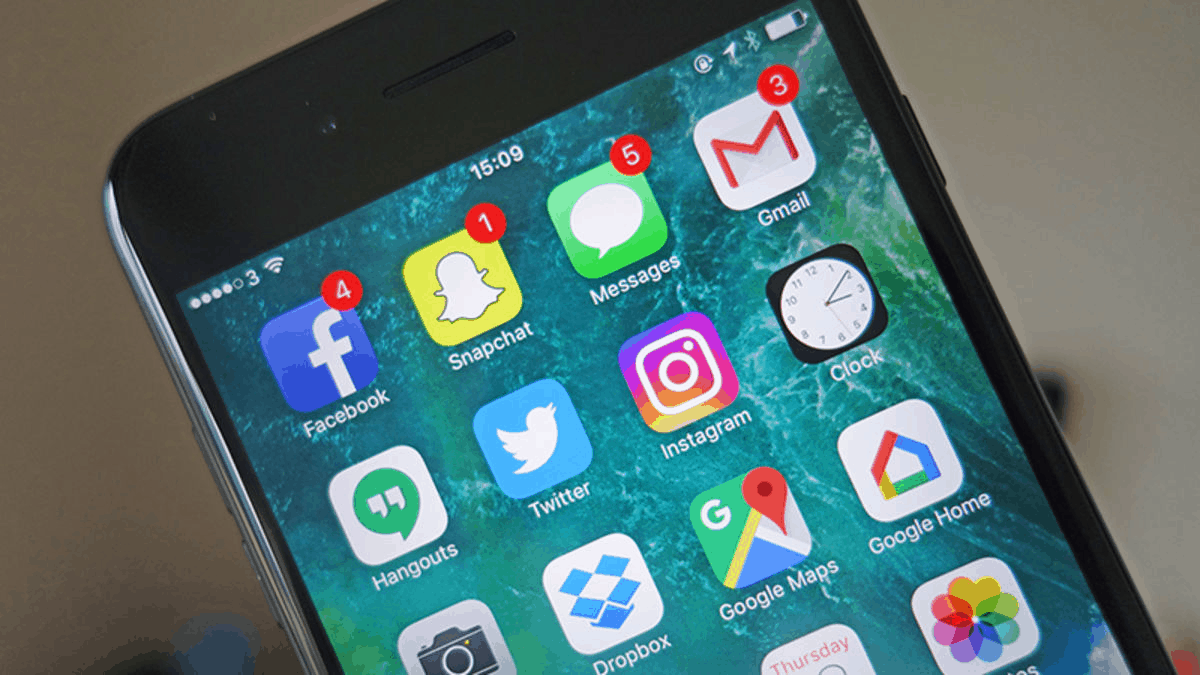
Customize Your Notifications and Apps

Mobile App notification

Another great way of saving your phone’s battery while traveling is to customize your notifications and apps. This is because the moment you turn off your cellular data, it gives you a sense of achievement when you find free Wi-Fi. The moment your phone gets connected to it, all the apps automatically start updating and refreshing at the same time. This might look great but it is draining your phone’s battery faster than ever. Another thing that drains the battery is with apps that frequently wake up your display screen with notifications. So, just turn off the notifications by going to app settings.

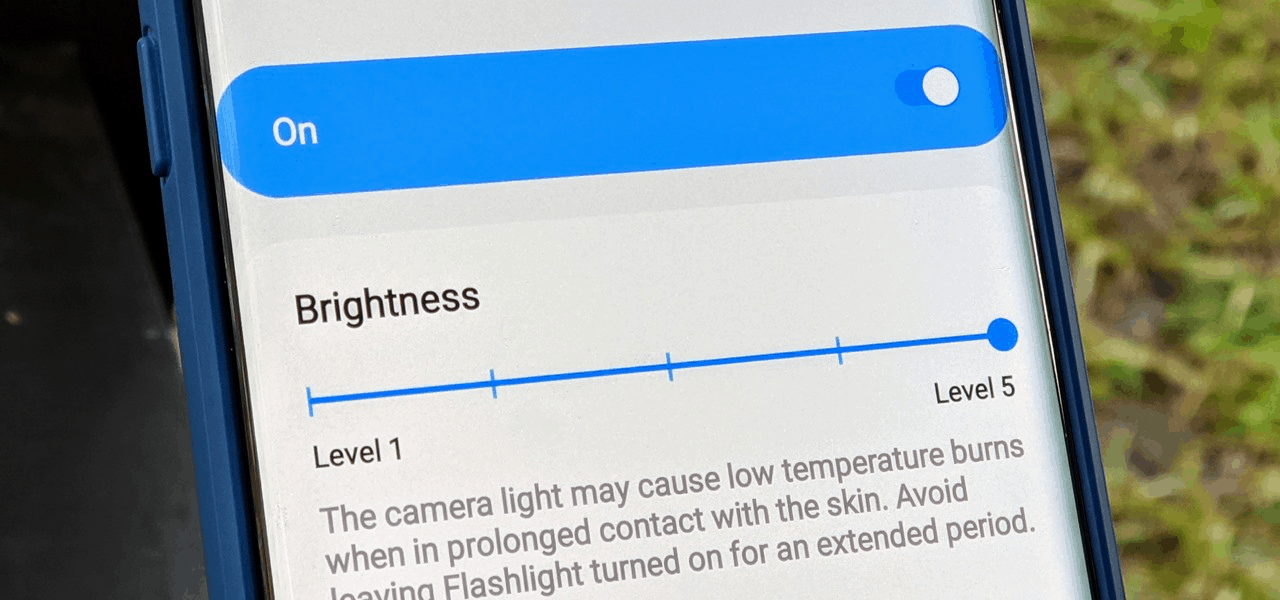
Adjust Your Phone’s Screen Brightness

Mobile screen Brightness

A lot of people don’t know this but phone’s display can make a tremendous difference in battery life. The new smartphones come with OLED (Organic Light Emitting Diodes) display screens that offers better colors. When you reduce the screen’s brightness or opt for true black mode, there is a significant decrease in phone’s battery consumption. So, simply reduce the screen’s brightness or switch it to auto adjust.

Avoid Fetching & Refreshing

Avoid mobile refreshing

As we are so used to using our phones all the time, it is difficult to leave it alone for an extended time period. Our active social life motivates us to check the likes on social media pages and constantly refresh the feed to see what’s new. However, these apps are one of the biggest battery killers. During travel time, avoid using these apps too much and try to leave the phone alone for as long as possible.

Need a repair? Visit Mobile Repair Factory in Padstow, or go straight to our iPhone repairs Sydney and Samsung screen repair Sydney pages.

Top 5 Phone Repair Equipment That Are Mostly Used

Our smartphones are quite delicate. A single slip or mishappening can lead to a great loss. As we are so addicted to this particular technology, it is hard to imagine our lives without it. So, if you are giving your phone for repair and want to know what kind of equipment will be used, then take a look at the list below. Remember, these are just a few out of many.

  1. Heat Gun or Hair Dryer

The new smartphones aren’t like what they used to be before. Earlier there used to be really small screws that used to hold the entire phone together. However, the phones are kept together with an adhesive these days, which cannot be pried open without heating up the adhesive first. Now, to do that you need to make use of a heat gun or hair dryer. When the heat is applied, the adhesive starts softening up, making it much easier to separate the display when you pry it open. It also lessens the chance of something breaking. It is a highly effective way but requires precision.

  1. Magnetic Mat

Now, once you start dissembling the phone, you will end up with a lot of small parts and loose screws. When working with a phone, you must never forget that each part holds a great value. This is why it is vital to keep all the parts well organized so that when you are putting the phone back together, you can do it with ease. You can keep the parts on any surface but there is a great probability that they can get lost. This is where magnetic mat comes as a blessing. It will not only stop the screws from rolling off the table but the mats has separator lines, that allows you to organize each part and keep a track of it.

  1. Guitar Picks

This one might sound a little out of the place but believe us, it is vital phone repair equipment and is used quite regularly. It comes in handy when you are dealing with a stubborn display assembly that’s really glued down. You can use it to place between the areas that you’ve already pulled apart. The picks being there will ensure that the two pieces stays separated. It is also a fairly easy thing to obtain as all you need to do is visit any music store that sells them or simply order it online.

  1. Magnifying Glass

Another equipment that might not make sense but it will when you will read further. It won’t come as a surprise that smartphone parts are very tiny. You must have a really good eye sight to distinguish between them and see what’s what. However, if this is not the case, a Magnifying Glass will come in handy. You can use it to clearly see the parts or where exactly the issue lies.

  1. A Lamp

Having plenty of light is necessary but it is important that the light falls directly onto the phone’s part to get a clear view. A tube light or ceiling bulb might not prove effective. So you can use a lamp to see everything clearly and to maintain your focus.

If your phone needs fixing, see our iPhone repair, Samsung screen repair and OPPO screen repair services, or walk in to our Padstow store.

6 Most Common Myths about Phone Repair to Know About

If you own a Smartphone then it is likely that you may need to get it repaired. But when it comes to repairs, a lot of us have wrong notions about smartphones and this may sometimes prevent us from taking the right step.

Uncooked rice can fix a water damaged phone

You must have often heard that keeping your phone submerged in uncooked rice overnight fixes your water damaged phone. Some believe that the rice absorbs the water from the phone and brings your phone back to normal. However, this isn’t the case; the rice may absorb the water to some extent but does not prevent the motherboard from corrosion. Keeping, your phone submerged in unbaked rice can damage your device. The sugar and starch in rice leave behind remnants that can speed up corrosion in the motherboard.

All Smartphone repairs take a long time

One of the simple Smartphone repair myths that people believe is that all Smartphone repairs take a really long time. This is why they are hesitant to give the Smartphone for repair work. However, this is not always true. In the case of screen changing, malfunctioning buttons, etc., the repair may not take much time at all. Most repairs just take a few hours and you can get your phone back in a day or two.

One of the common Smartphone repair myths is that repairs are always expensive

Lots of people have this misconception that most Smartphone repairs are very expensive. This prevents them from giving their phone for repair. But if you contact a trusted and authorized dealer for repairs, then the repair cost will be very justified and not expensive at all. It is better to do proper research about repair costs to prevent extra expenditures.

After the smartphone repair, the phone is not the same anymore 

This is the most common myth which almost every single person thought after repairing their phone. This statement is completely wrong. It doesn’t mean that after repair your phone functions change but yes you will get good results only if you opt for a good company or repair center for your phone. If your technicians are very well experienced and your repair company is good then your phone will remain the same as you want.

The smartphones replaced parts are always thick

Mostly peoples believe that the parts replaced during the process are always fake, the companies or technicians never use original parts that’s why the phone won’t remain the same. Yes in some cases this is true but not in all because it is always advised to go for trusted repair centers when there is a need for replacing the phone parts. Always choose authorized trusted repair centers to repair your mobile phone.

The cracked screen only affect the look of your mobile phone

This is not true, the shattered screen of your mobile phone makes it difficult to use your phone properly. But with passing time they cause various other internal issues with your phone. If you left your phone unfixed you need to face several issues such as discoloration, dark spots, dead spots, etc. So it is advised to take your phone to the technician before it’s too late.

Make sure you remember these points the next time your phone needs any kind of repair or service.

Our Padstow technicians repair iPhone, Samsung, OPPO and iPad devices. See our iPhone repairs Sydney, Samsung screen repair Sydney and iPad screen repair Sydney pages.
Top 5 Ways to transfer Files from Android to iPad?

Are you worried about transferring files from android to iPad? If yes, then here are few tips to make it possible.

  • Email:
    Email

This is actual cloud service and you can attach your files via mail and send anywhere to anyone for free.  Size of the file you want to attach may be a limiting factor as it allows between 15-25 MB. Sending larger files may be a bit tricky and you may look elsewhere to share. Apart from it, some people do not prefer this option when it comes to share sensitive information or client informatics with others.

You can use email in order to share files without any hassle.  This can be the simplest way to share items. This is effective only when you know the email address of person with whom you want to share files. You just need to have internet access and you can share easily. However, you cannot share large files, but it can be possible in small files.

  • An online storage service:

The iCloud Drive made by Apple can prove quite effective when it comes to file sharing. You can also use go with Dropbox, OneDrive, Box, or Google Drive, Egnyte and SugarSync and more. You just need to create an account in order to use such file sharing services. You can upload files to your file storage services and share these files with other platforms. You may send a link to that file too.

  • Use app:

Apart from email, there are various other ways to share files between android and iOS devices. You can use cross platform apps like Feem, Shareit, Zapya, FileTransfer, Instashare and more.If you want to share files even if you are offline, the  Shareit can be the best option. You just need to open it and select the files you want to share and send it to the device you want to. Feem can also be a wonderful app. Both device must install and run Feem to share files.

  • A Wireless Storage Solution:
    Wireless storage

Some prefer SanDisk Connect USB stick with a built-in Wi-Fi receiver to share files. It works with an app on your android or iOS device and makes file sharing easier. It can act as a middle manager when it comes to share files. Uploading to USB stick from one device and downloading files from other device or platform make sharing fast. Sharing files with multiple devices simultaneously will be possible with this stick.

You can also use iTunes to share. You can use it as it is easy to fix. You just need to plug in your iPad through USB into iTunes and similarly android device and you can use it like a mass storage device. It just requires drag and drops the files you wish to share.

  • Leawo iTransfer:

You must have heard about this desktop application for windows. It can allow for full transfer functionality. You just need to drag and drop files between iOS, Android and desktop. You need not to worry about Bluetooth or any wireless networks. This is simply associated with simple file transfer process including plug, play and share files between the platforms.

These are some easy ways to share files between Android and iPad, so try them and make the most of sharing.

WISH TO KNOW THE REPAIR COST OF YOUR PHONE? READ THIS

There have been some inventions that are meant to serve humanity in different ways. One of these inventions was the smartphone. Little did we know, that this small package of technology completely transformed our lives. We can connect with each other with just a digital touch. This is what we call technology advancement. But can we really think about the possibility of halting the services of the smartphone? We can easily get scared just by the mere idea of it. When our smartphone deals with some kind of trouble, we think of all the available potential of repairing it. One thing which can bother us is the repairing costs of our respective smartphones. But don’t you worry. This article can prove as a guiding manual of smartphone repairing costs.

Before getting into the detailed facts of repairing, the cost can depend on certain factors-

What model phone do you use?

The repairing cost can range differently, depending upon the model you use. By model we mean two things-

Is it old or a new one or you are using Apple, Android or Windows phones?

The next point deals with that area of phone you are concerned about i.e whether the repair needs to be done on the screen or battery replacement or there is any sort of problem with the motherboard.

iPhone REPAIR AND SERVICES-

WHERE TO GET APPLE CERTIFIED REPAIRS AND SERVICES?

iPhone Repair

The iPhone users can get Apple-certified repairs and services at the Apple Authorized Service Providers. The Providers supply technical and professional support. They are determined to deliver high-quality services with genuine Apple parts. The repairs are even backed by Apple.

HOW MUCH DOES IT COSTS?

$29 is the amount you have to incur for your iPhone repair services of the broken screens. This is the amount you have to spend when you have already availed AppleCare+.With AppleCare+ the battery, the repair is free of any cost. But the users who don’t have such a plan, they are supposed to incur between $129 to $329 for one-time screen repair and $49 to $99 for battery repair.

Other repair-For AppleCare+ the miscellaneous repairs may cost upto$99 and other users may have to undergo an expense of $149 to $559.

REPAIR COSTS OF ANDROID PHONES

The repair can either be done by the third party or by the manufacturer.

One of the benefits which can be enjoyed by the android user if they are keen to repair their phone from a manufacturer is that if the phone is still under its warranty time period , you can surely save a large amount on the total cost. With a third party option, your phone can be repaired in a few hours.

When talking about repairing broken phone screens, the cost which may arise can be near $100 to $300, when getting it fixed by a manufacturer. But with the third party repairing, it may land up to somewhere near $45 to $80.

BATTERY REPLACEMENT

iPhone Battery

This fact should be kept in mind,that the cost can jump up to $100 if going for a battery replacement.

WATER-DAMAGED REPAIRS

When redressing a water damaged phone, the cost may vary according to the repairs required. Many phone repair shops may check your water damaged phone for free and they may inform you about all the repairs needed. Simple water damaged phone repair, without any kind of extra amendment may cost up to $49.But mind you, any kind of complex and sophisticated fixes and repairs can reach more than $100.

Smartphones have revolutionized our lives. It can literally save us from certain critical and complex situations. So it is important for us to take proper and professional care of our respective smartphones.

Close

Product Enquiry

By sending this inquiry you accepted the MRF team can contact you in regards to your inquiry. We don't use or sell any of our customers data for marketing purposes. We take every precaution to secure your data. Mobile Repair Factory take no responsibility for any mishap. By sending the inquiry you accepted the terms of the inquiry form and the website.
CALL US NOW